How to Fix Samsung TV Black Shadow on Screen Issues in the Middle or Side of Smart UHD Displays
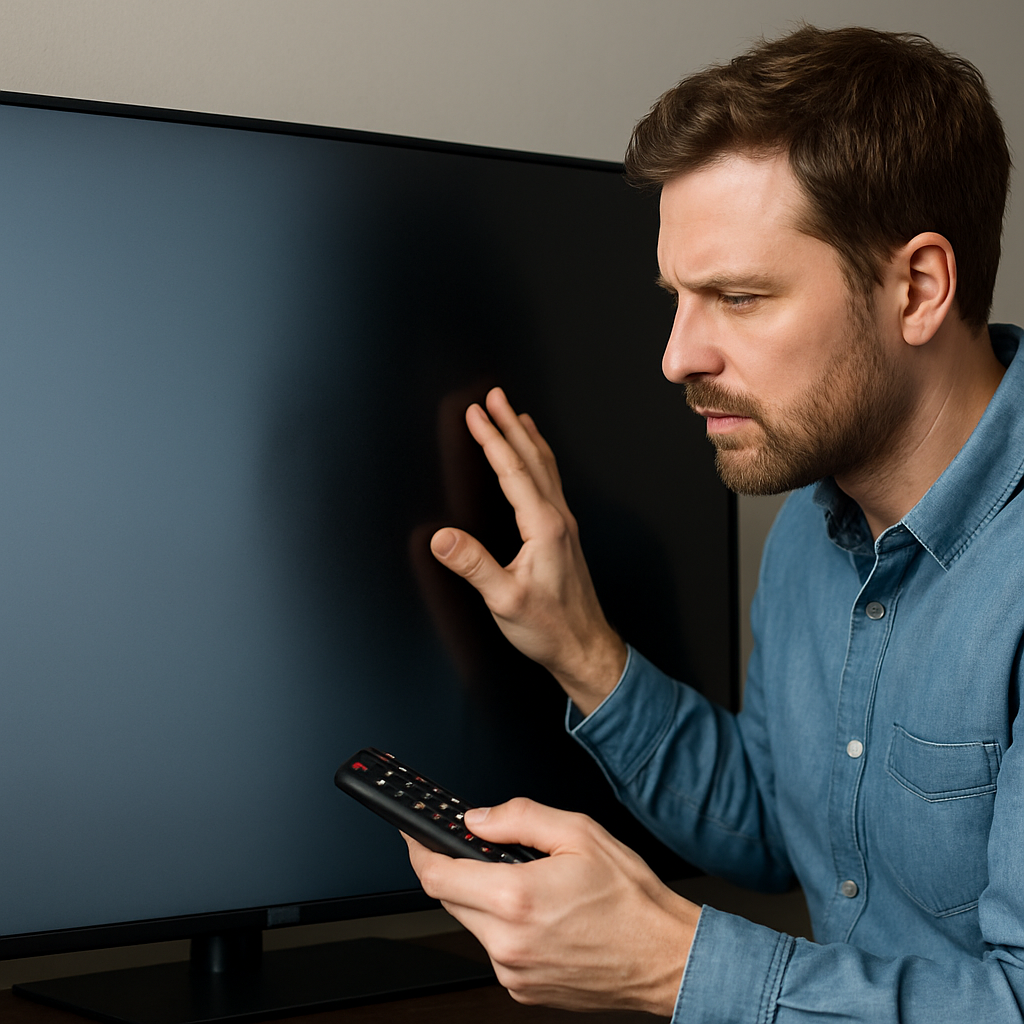
If you have noticed a black shadow running down the middle, side, or corner of your Samsung Smart UHD TV display, this problem points to a specific fault in the LED backlight system—a frequent issue especially on modern Series 5 and later flat or curved models. The fastest way to address the Samsung TV black shadow on screen is to methodically troubleshoot both software and hardware possibilities, moving from resets and settings checks to potential backlight replacement. Taking these steps not only helps you determine if your TV has a quick fix or a more serious LED spreading issue, but also ensures you do not waste time or money on unnecessary repairs.
Understanding Black Shadow and Vertical Stripe Problems in LED, LCD, and QLED TVs
Vertical black stripes or shadow patches on your Samsung TV—be it UHD, QLED, or traditional LCD—are most commonly caused by the failure of some LEDs in the backlight strips. Instead of an evenly lit screen, you get a noticeable band, line, or patch in the display where light fails to spread correctly across the panel. For edge-lit Samsung TVs, which use an LED strip at the top and one at the bottom, a failed section leads to partial darkness running through the image. This can happen on both flat and curved models, with the issue often more obvious when the picture is mainly white or light-colored.
On newer smart TVs, black spots or shaded rectangles might also appear after long-term use, power surges, or as the display reaches several years of operation. While some attribute these marks to burn-in or panel defects, extensive threads on forums and platforms like Reddit confirm it's commonly the LEDs that are to blame—especially for those experiencing a stripe or line in the middle of the screen.
It's important not to confuse this issue with minor clouding or faint screen flicker—actual shadows or dark patches are tied to backlight hardware faults. Some symptoms can be intermittent, with the patch growing darker as the TV warms up and power goes to the affected LED section.
If your TV recently went dark in a corner, quarter, or on one entire side, and quick menu changes haven't helped, start with the most basic checks before considering a full replacement.
Quick Power Drain Reset: The 80-Second Fix for Smart and 4K Samsung TVs
One of the most effective and immediate fixes for a Samsung TV black shadow on the screen is a simple cold boot, also known as a power drain. To do this, unplug your TV from the wall, then hold down the power button on the TV (not the remote) for about 15 seconds. Keep the TV unplugged for at least 30 minutes to allow all residual electricity to drain from the components.
This reboot trick frequently resets the TV's backlight system and picture controls, resolving the issue for many users with vertical bands or half-dark displays. Power cycling works for most smart, UHD, 3D, and even curved Samsung models, as described in this detailed YouTube guide.
If the shadow remains after a reset, you may need to move on to checking the TV's firmware settings and display configurations before suspecting a permanent hardware problem.
Firmware Update and Picture Settings: Adjusting Backlight Tolerance and Eco Options
Samsung periodically releases firmware updates that fine-tune display processing and may change how the backlight responds to faults. Outdated software can exaggerate dark patches or cause random flickering white dots, especially on Tizen-based smart TVs and newer 8K or 4K UHD models. Navigate to Settings > Support > Software Update, and make sure auto-update is turned on. Install any available firmware revision, then reboot the TV and check if the shadow improves.
After updating, examine your TV's picture and Eco settings. Access the Picture menu, and try manual tweaking of the backlight, brightness, and contrast levels to balance uneven illumination. Disable dynamic Eco or power saver features that might dim parts of the screen or trip up the backlight controls. Sometimes, aggressive energy-saving modes can create ghostly shade bands or amplify existing stripes on corners, sides, or in the middle of the screen.
For more step-by-step detail, refer to the Tech Tedy home troubleshooting video that outlines each menu change.
If you see immediate improvement, keep your settings saved. If not, the next diagnostic step is the Samsung Picture Test, which helps separate software and hardware causes of black marks or flickering.
Samsung Picture Test and Self-Diagnosis: Identifying Hardware vs. Software Shadow Issues
Samsung TVs include a Picture Test feature (in the Support or Device Care section) that displays calibration images designed to reveal true backlight and panel defects. Run this test: if the vertical shadow, black line, white flicker, or patch appears even on the built-in images, the source is almost always a hardware problem—typically the LED strips or the associated circuitry.
If the shadow vanishes during the test or shifts in appearance, a software bug or settings conflict could be at fault. In this case, a factory reset may resolve lingering glitches. Hold down the menu button, access Self Diagnosis, and select Reset—this returns the TV to default conditions, which has been a solution for some users who saw random marks or box-shaped gray clouds on their screen, especially after HDMI switching or power interruptions.
Don't forget to document what you see during testing. Certain symptoms, like clouding on plasma or OLED screens, may indicate panel wear, while edge effects and stripes on LCD and QLED displays strongly suggest backlight or diffuser sheet issues.
If nothing changes after all software resets, hardware replacement is likely needed.
LED Backlight Strip Replacement: When Hardware Fixes Are the Only Solution
When persistent shadows, quarter-screen dark patches, or severe vertical bands remain after every software, reset, and settings tweak, it's highly probable that one or more LED backlight strips have failed. For edge-lit models, this could mean just a few faulty diodes are blocking the light from spreading evenly across your UHD or curved TV display, permanently dimming certain sections.
While some users successfully replace the backlight strips themselves, it's a delicate repair best left to a professional if you lack experience. The process requires dismantling the panel, disconnecting cables, and matching the strip type—errors can risk further damage or total display failure. According to reports on forums like Reddit and tech help videos, a full strip replacement is the only guaranteed way to restore a uniform picture when you have a persistent Samsung TV black shadow, especially when power goes to the entire line but remains dark.
If your Smart TV is still under warranty, contact Samsung support for potential free repairs. If not, get a quote from a certified shop. This solution costs less than a new 55-inch panel or a full QLED replacement and brings your display back to maximum quality.
Once new strips are installed, check for even backlight and no shade box or mark left across the entire screen.
Final Tips for Spotting and Preventing Black Shadows, Spots, and Flickering Patches
To avoid future black shadow issues on Samsung TV screens, keep your TV's firmware updated and avoid using aggressive Eco, power saver, or weird brightness settings for long sessions. Regularly check the screen for new lines, part-patches, or white dots forming along the sides or bottom. If your TV experiences a sudden stripe or rectangle, unplug it quickly and try the cold reset first.
Keep the ventilation clear so the panel does not overheat and cause early LED failure, as heat stress can quickly wear out components, leading to darkening in one section or entire corner. For ongoing reference, engage with the latest community fixes and owner experiences posted on tech help YouTube channels and dedicated Samsung troubleshooting boards.
Following this structured approach—from quick power resets to hardware LED replacement—ensures that flat, curved, or OLED models recover to full display performance with minimal interruption.


Comments
Post a Comment