Samsung Tv Black Spot Solutions: Fix Shadow Lines, Half Screen Issues, and Dark Spots
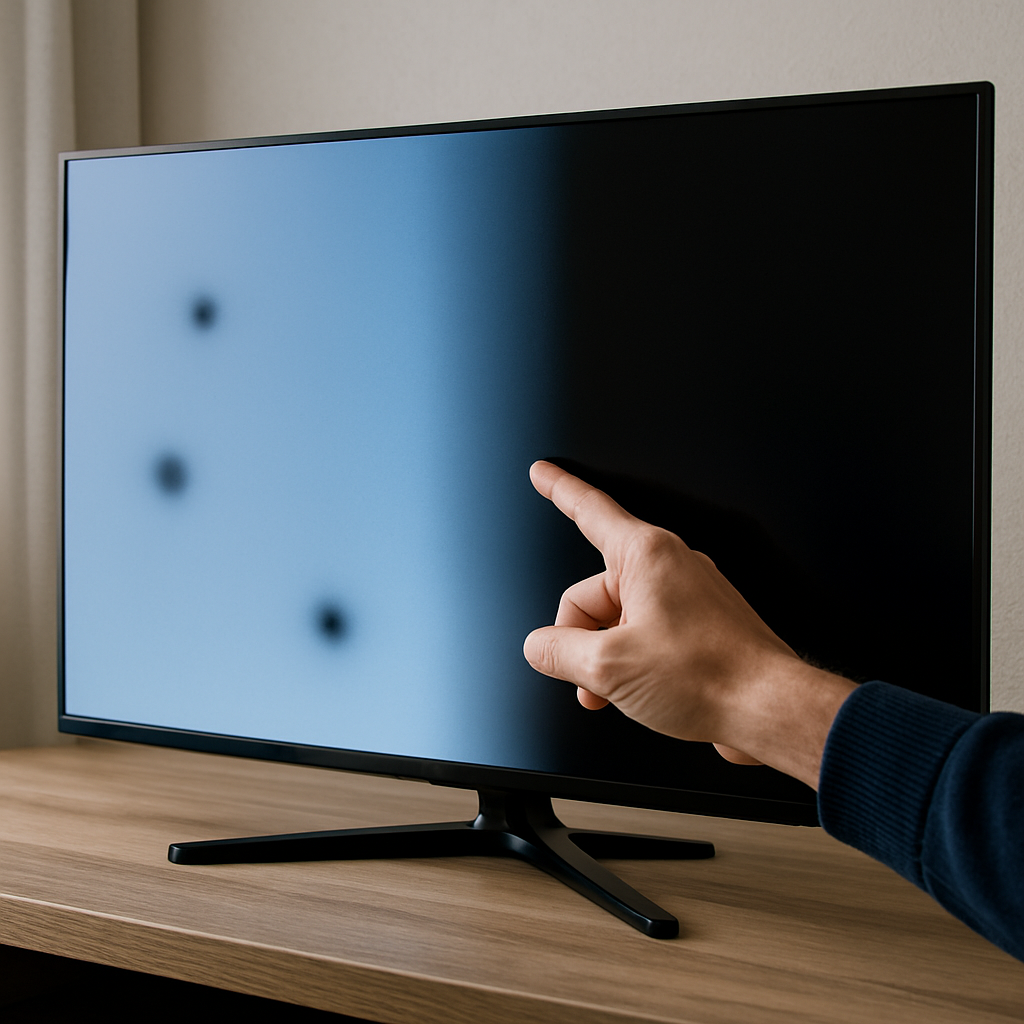
If your Samsung TV screen suddenly displays black spots, shadow lines, or half of the display goes dark but the sound continues to work, you are not alone. These frustrating black spot and dark area issues, sometimes called screen shadow or line faults, are commonly reported on Samsung OLED, QLED, and 4K Smart TVs. Fortunately, many of these display faults can be quickly diagnosed and resolved at home with a series of troubleshooting steps before calling for service. This guide gives you a clear sequence of solutions, from basic resets to specific connection checks, ensuring you address every possible cause efficiently.
Identifying Dark Spots and Shadow Lines on Modern Screens
Dark spots, shadow lines, or half-lit images often point to either hardware malfunctions or signal problems in your Samsung television. If your TV is showing irregular patches or only a portion of the image is visible, it's important to observe the patterns. Are the dark spots consistent in certain areas? Do visible horizontal or vertical lines appear? These questions can help determine if the issue lies with the panel, backlight, or an external device.
Sometimes, a black spot is an isolated hardware pixel failure, while shadow lines could relate to issues with screen layers, T-con boards, or ribbon cables. Document when the problem appears, if it worsens, or changes with different video sources and HDMI connections. Identifying the symptoms makes the following troubleshooting much more effective.
For an official diagnostic flow and more insight, the Samsung support page directly addresses how to spot and categorize these display symptoms.
Step-by-Step Power Reset and Connection Verification
The most common and effective first step for resolving black spots or half-dark screens on a Samsung TV is a full power reset. Begin by unplugging your TV from the wall completely—simply turning it off is not enough. Wait at least 30 seconds before plugging it back in. This slow reset can clear minor glitches and restore normal operation. If your TV remains dark or shadowed after reconnecting, continue troubleshooting.
Confirm each connected video source (cable box, streaming stick, or Blu-ray player) is powered on and the correct HDMI input is selected on the TV. Sometimes, the problem lies not in the display but in a signal loss or inactive external device, as explained in-depth on Samsung's troubleshooting guide.
Disconnect and then securely reconnect any HDMI or USB cables attached to the TV. A loose connection, especially for the One Connect Box or similar interface, frequently causes partial images, lines, or complete blackouts.
If your TV features a detachable One Connect Box, try disconnecting both its power cord and the invisible cable, then reconnect and test for improvement. Watch this video tutorial for a complete home troubleshooting process that mirrors Samsung's official recommendations.
Diagnosing Backlight and Panel Malfunctions
If simple resets and cable checks do not resolve dark spots or screen shadows, the issue may be internal. Backlight failure is a prevalent cause on LED, QLED, and OLED models, resulting in patches or entire areas appearing blacked out. To test for a backlight fault, shine a flashlight at close range across the screen; if you can faintly see a moving image where it appeared black before, the backlight is likely at fault.
Panel problems, such as failed driver circuits or loose ribbon cables, may present as lines or structured shadows. Gently tap around the frame and listen for changes—the response can help narrow down a loose connection. Avoid opening the TV unless you are familiar with electronics; these repairs are better left to professionals. For more on do-it-yourself approaches, see the step-by-step black screen fix video from Beats Guy.
If your TV is still under warranty, document the symptoms and contact Samsung support with specifics about your model and screen behavior.
Alert: Never attempt internal repairs if you aren't qualified, as TVs contain dangerous high-voltage components even when unplugged.
Preventing and Managing Future Screen Faults
Proper handling and routine care can minimize the risk of new dark spots, shadow lines, or half-dark screens on your Samsung display. Avoid pressing, flexing, or striking the panel when moving or cleaning your TV. Use only authorized HDMI and One Connect cables, and never force connections.
Always keep firmware updated via your TV's built-in system settings to address known software bugs that can affect display components. Power surges may also cause recurring screen issues, so consider connecting your TV to a surge protector or uninterruptible power supply (UPS) whenever possible.
If you start to see repeated half-screen blackouts, shadowy patches, or intermittent dark lines, disconnect and reconnect all cables first. Regularly inspect your TV's vents and keep them dust-free to prevent overheating, which may contribute to display component failure over time.
Knowing When to Seek Professional Help
If none of the above steps restore picture quality, or if the screen's black spots and shadow lines persist or worsen, it's time to call in a professional repair service. Internal faults such as sustained backlight failure, panel malfunction, or main board damage typically require replacement parts and specialized tools.
Always check your Samsung warranty or extended coverage before pursuing paid repairs. Taking prompt and careful action protects your investment and ensures you enjoy the full benefits of your OLED, 4K, or QLED smart TV for years to come.
With the right approach, many Samsung TV black spot and display faults can be managed at home, but persistent or widespread hardware failures are best left to qualified technicians.
Careful diagnosis, methodical resets, and close attention to input devices and cables allow most users to resolve shadow lines, half screen issues, and dark spots on their Samsung TV without the need for costly professional repair.


Comments
Post a Comment